
Redesigning a workout data experience to feel clearer, deeper, and more motivating.
Wahoo was investing more heavily in the app experience, and Activity Details sat at the center of that shift. For many users, this was the destination after a workout, the place where they came to review performance, interpret effort, and decide what to focus on next.
I led the redesign of Activity Details to make the experience more useful across a wide range of users. Users had access to a broad set of workout metrics, but the existing experience made the insights harder to understand and navigate.
The challenge: create an experience that feels clear enough for casual users and deep enough for athletes who want more.
What began as a redesign quickly became a broader product question about clarity, motivation, and depth.
Making performance data worth returning to
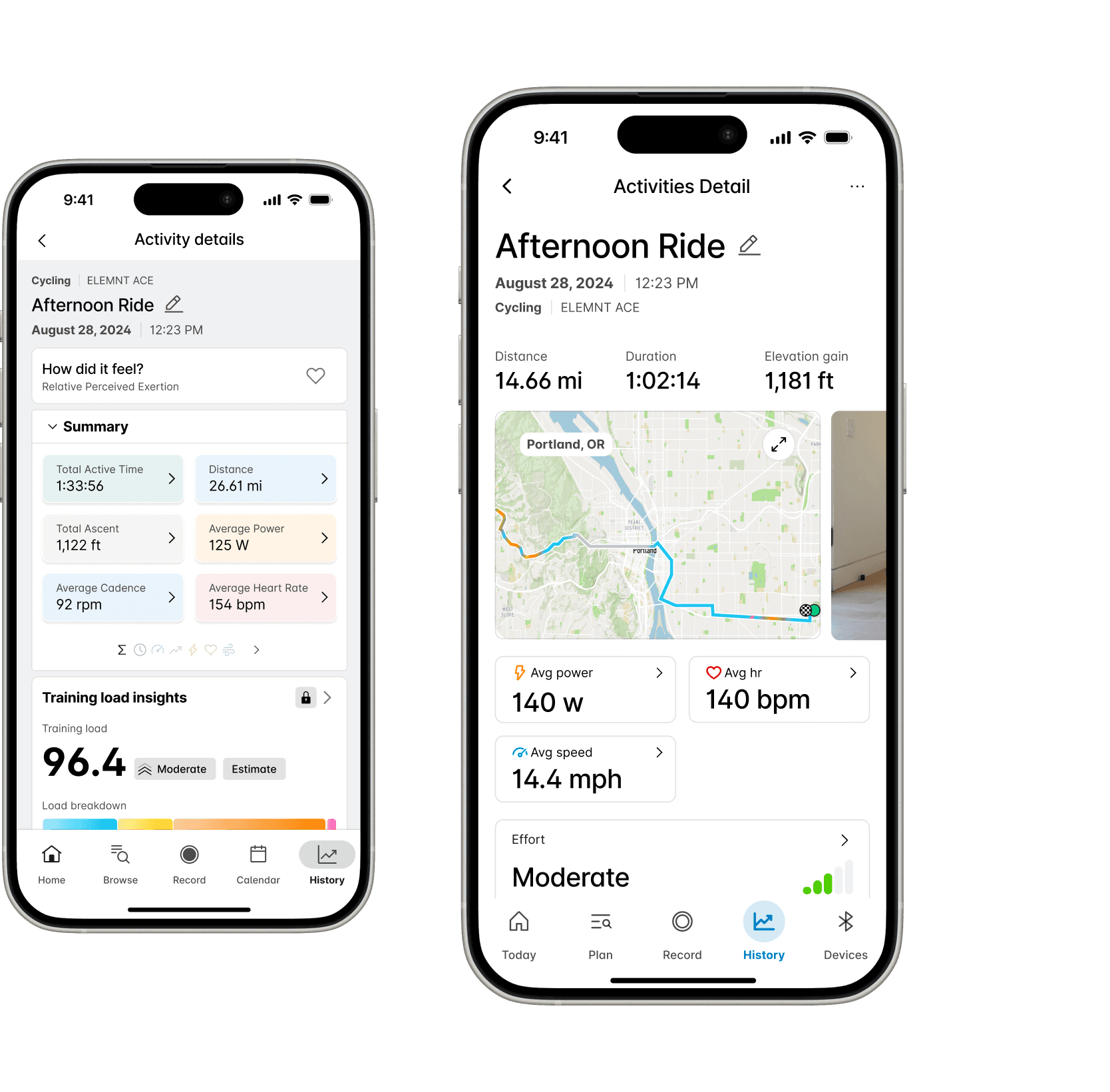
The existing Activity Details experience felt dated, dense, and difficult to navigate. Important data was available, but not always legible. Users could access workout metrics, but they often had to work too hard to understand what mattered. At the same time, the business was moving toward a more app-centric product strategy. Activity data had the potential to become both a daily value feature and a stronger premium touchpoint.
The opportunity: turn Activity Details from a passive reporting screen into a product experience users would actually want to return to.
What research made clear
Research made one thing clear quickly: there was no universal definition of “important” data. For some users, high-level metrics at a glance were all they needed. For others, deeper exploration and comparisons mattered.
Other standouts
Data relevance was highly personal
Users had different priorities, which meant the experience could not treat every metric as equally important or equally visible.
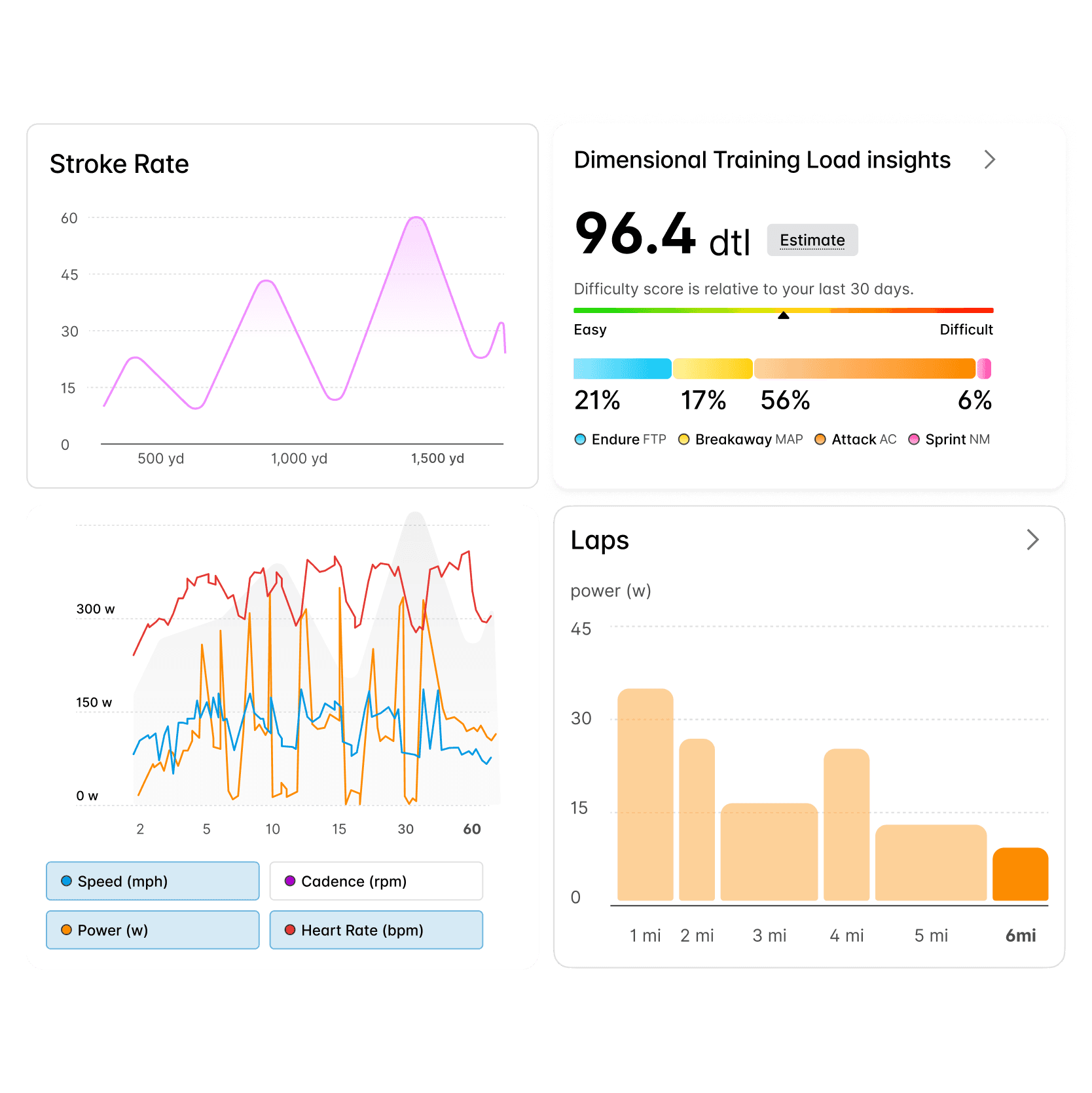
Charts outperformed raw numbers
Users consistently responded better to visual summaries than dense numerical displays. Charts made data easier to parse and more compelling to explore.
Activity Details was a destination feature
Many users were opening the app specifically to review their workout metrics. This wasn’t secondary functionality; it was a core reason to return.
Casual users were pushed away by jargon
Technical language created friction for people who still wanted insight, but not necessarily expert-level analysis.
How the experience took shape
1. A clearer recap
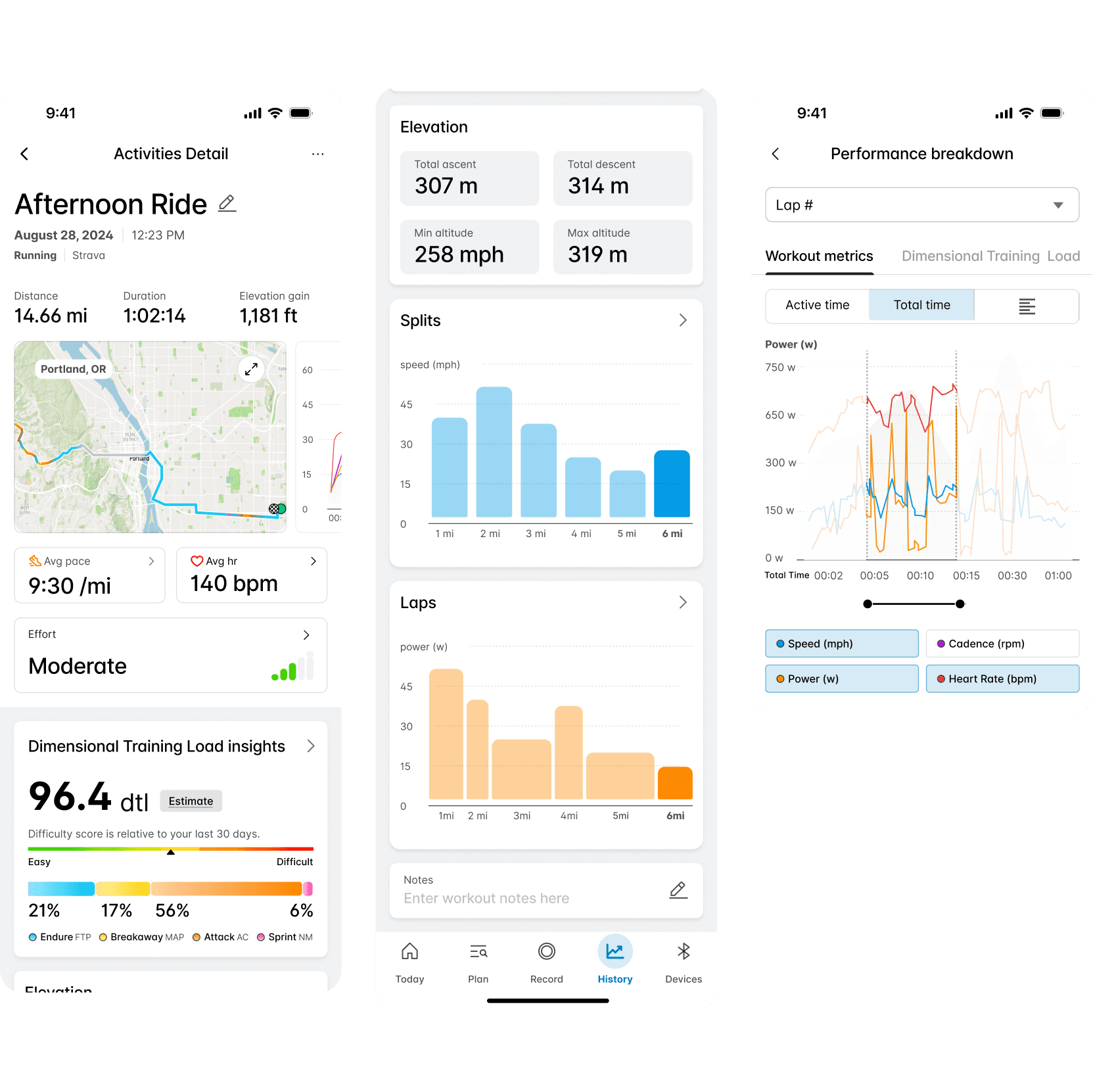
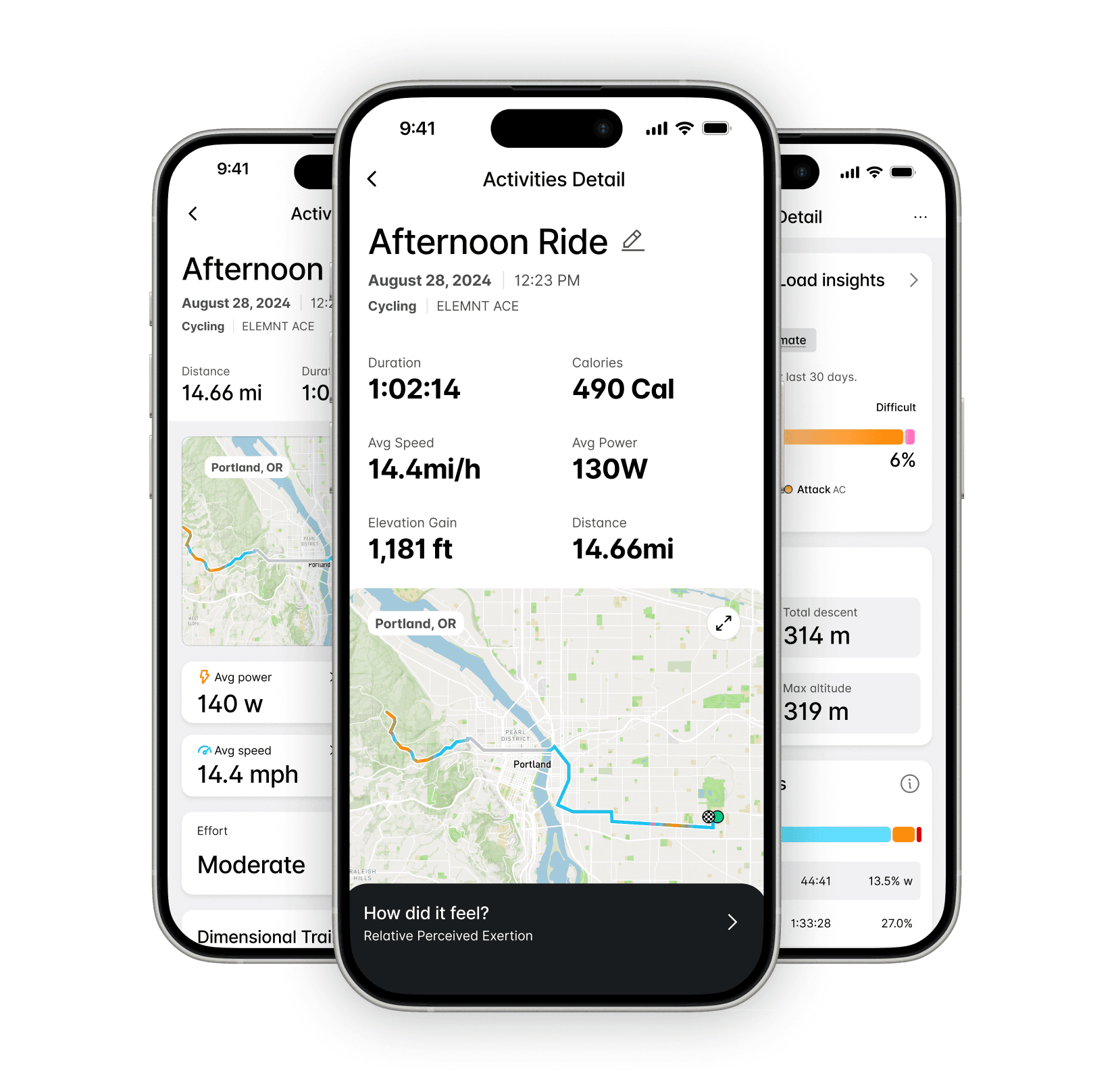
I redesigned the recap layer to feel faster, cleaner, and easier to understand. The new structure emphasized top-line metrics first, giving users a concise summary of the workout before introducing deeper views. This created a more legible entry point across user types and gave the page a stronger narrative flow.
2. A more intentional return moment
I introduced a first-open post-workout experience that recognized when a user returned to the app after finishing a session. Instead of dropping users back into the product without context, the app treated that return as a meaningful moment. We used it to surface the workout recap more intentionally and added contextual prompts like “How did that workout feel?” to support quick reflection and lightweight analysis.
3. Charts as the doorway to depth
Charts became a central part of the redesign, but they were placed deliberately below the fold. This is where users tended to spend more time once they moved beyond the recap, so charts became the entry point into deeper exploration and past-workout comparison.
4. Progressive depth
A core design decision was to separate entry point from exploration. The surface experience focused on high-level understanding. Deeper layers supported users who wanted to inspect more nuanced metrics or compare performance over time. This allowed the product to support different types of engagement without making the initial experience feel bloated or overly technical.





Let's connect
I'm a lover of people, just saying Hi would do more than you think.
As a product designer, I'm on an exciting journey to blend creativity with technology to craft memorable user experiences.